 Zoetrope
Scripting
Scripts are modern JavaScript with a small, Flash-like API. They run the same way in the preview and in exported pages, in a sandbox that keeps your project and the viewer safe.
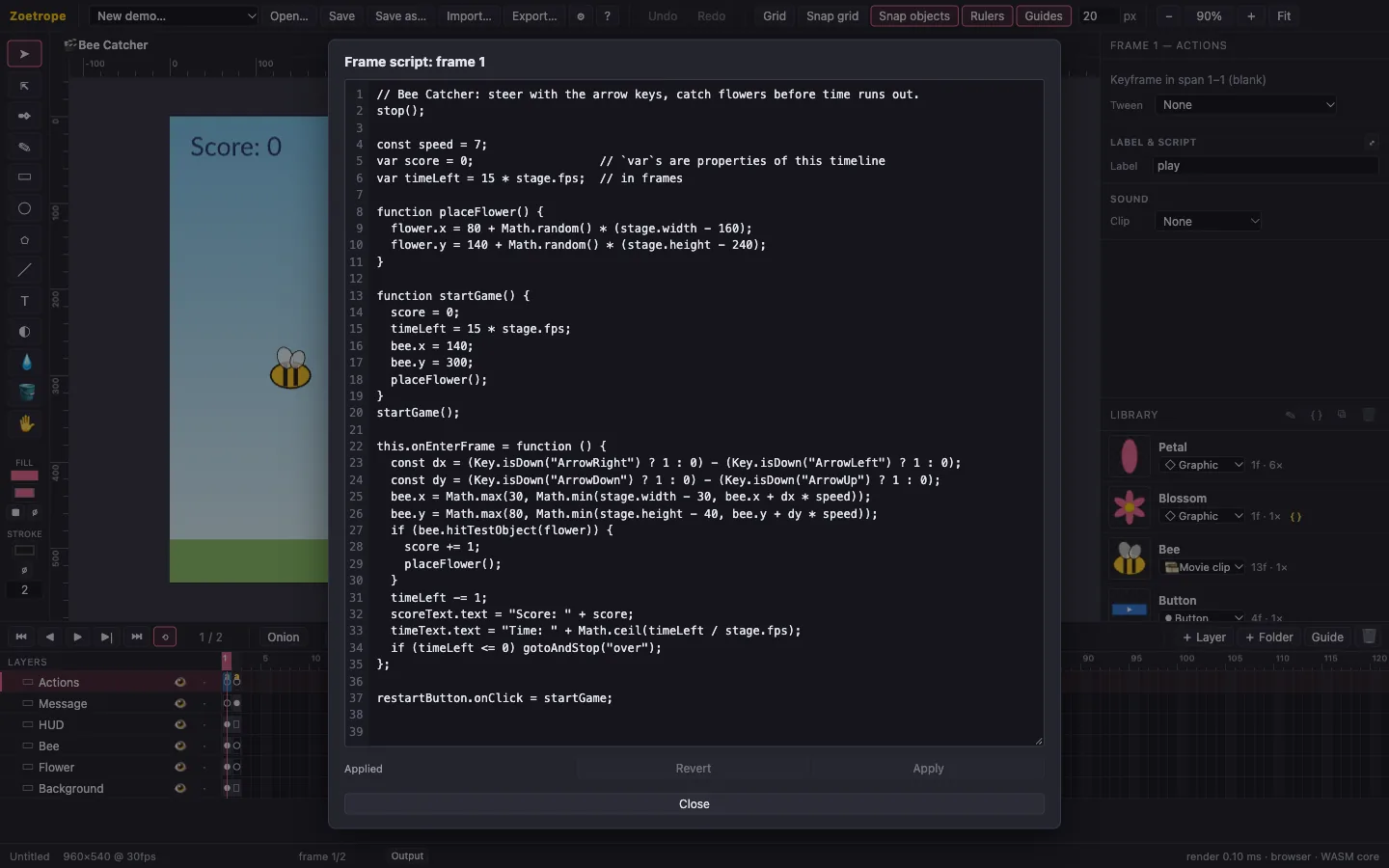
Where scripts go
| Kind | Attach it… | It runs… | this is… |
|---|---|---|---|
| Frame script | Click a keyframe, then Label & script in Properties (⤢ opens a large editor). | each time the playhead enters that keyframe | the timeline (the main timeline, or the movie clip) |
| Symbol script | Select a symbol in the Library and click { }. | once for every instance, when it appears | the instance |
The script editor
- Suggestions appear as you type: the scripting API, the instance names on the timeline, variables already in the script, frame labels inside
gotoAndPlay("…"), event names insidestage.addEventListener("…")and keys insideKey.isDown("…"). ↑/↓ choose, ↵ or Tab insert, Esc closes, Ctrl+Space opens the list anywhere. Picking an event such asonEnterFramewrites the whole handler for you. - Errors are checked as you type, with the same compiler playback uses: the problem is underlined, its line number turns red, and the message appears under the editor. Click it to jump there.
- ↵ keeps the indentation (and indents after
{), Tab / ⇧Tab indent or outdent the selected lines, ⌘/ / Ctrl+/ comments them out or back in, and ⌘Z undoes typing inside the editor. - ⌘↵ / Ctrl+Enter or Apply applies the script (one undo step in the project), and Esc reverts unapplied edits.
Names and scope
Give objects an instance name in Properties, and use it directly. Free names resolve against the timeline, as in Flash:
stop();                    // this timeline
bee.x = 200;               // the child named "bee"
title.text = "Hello";      // a named text
var lives = 3;             // becomes this.lives, shared by this timeline's scripts
let local = 1;             // stays local to this script
Display objects
| Member | Notes |
|---|---|
x, y, rotation, scaleX, scaleY, alpha, visible | Read and write. Writing takes that property over from the timeline. |
text | Text objects only. |
currentFrame, totalFrames, isPlaying | The main timeline and movie clips. Frames count from 1. |
play(), stop(), gotoAndPlay(f), gotoAndStop(f), nextFrame(), prevFrame() | f is a frame number or a frame label. |
hitTestObject(other), hitTestPoint(x, y, shape), getBounds() | Collisions and bounds in stage coordinates. |
name, kind, parent, root, getChildByName(n), getChildren() | Finding your way around. |
Events
this.onEnterFrame = function () { … };          // every frame
playButton.onClick = function () { play(); };    // buttons: onPress, onRelease, onClick
stage.addEventListener("keyDown", function (e) { trace(e.key); });
if (Key.isDown("ArrowLeft")) { … }               // keyboard state
trace(Mouse.x, Mouse.y);                         // pointer, in stage coordinates
Stage events are enterFrame, keyDown, keyUp, mouseDown, mouseUp, mouseMove and click. Within a frame, the order is: timelines advance, new instances run their symbol scripts, entered frames run their frame scripts, then onEnterFrame handlers run.
Debugging
trace(…)prints to the Output panel (status bar → Output). In exported pages it goes to the browser console.- Errors show their location and line, e.g. Scene 1 › Actions › frame 1: TypeError: not a function (line 5). The movie keeps running.
Math.random()is seeded per session, which makes tests and comparisons repeatable.
The sandbox
Scripts run in a separate JavaScript engine (QuickJS, compiled to WebAssembly) with no access to the page, the network or files: there's no window, document, fetch or setTimeout. Count frames in onEnterFrame for timing. Each script entry may run for 250 ms, and memory is capped at 64 MB, so an endless loop is stopped and reported instead of freezing the app.
The complete reference, with every property, the exact timing rules and more examples, is in docs/SCRIPTING.md.