 Zoetrope
Exporting
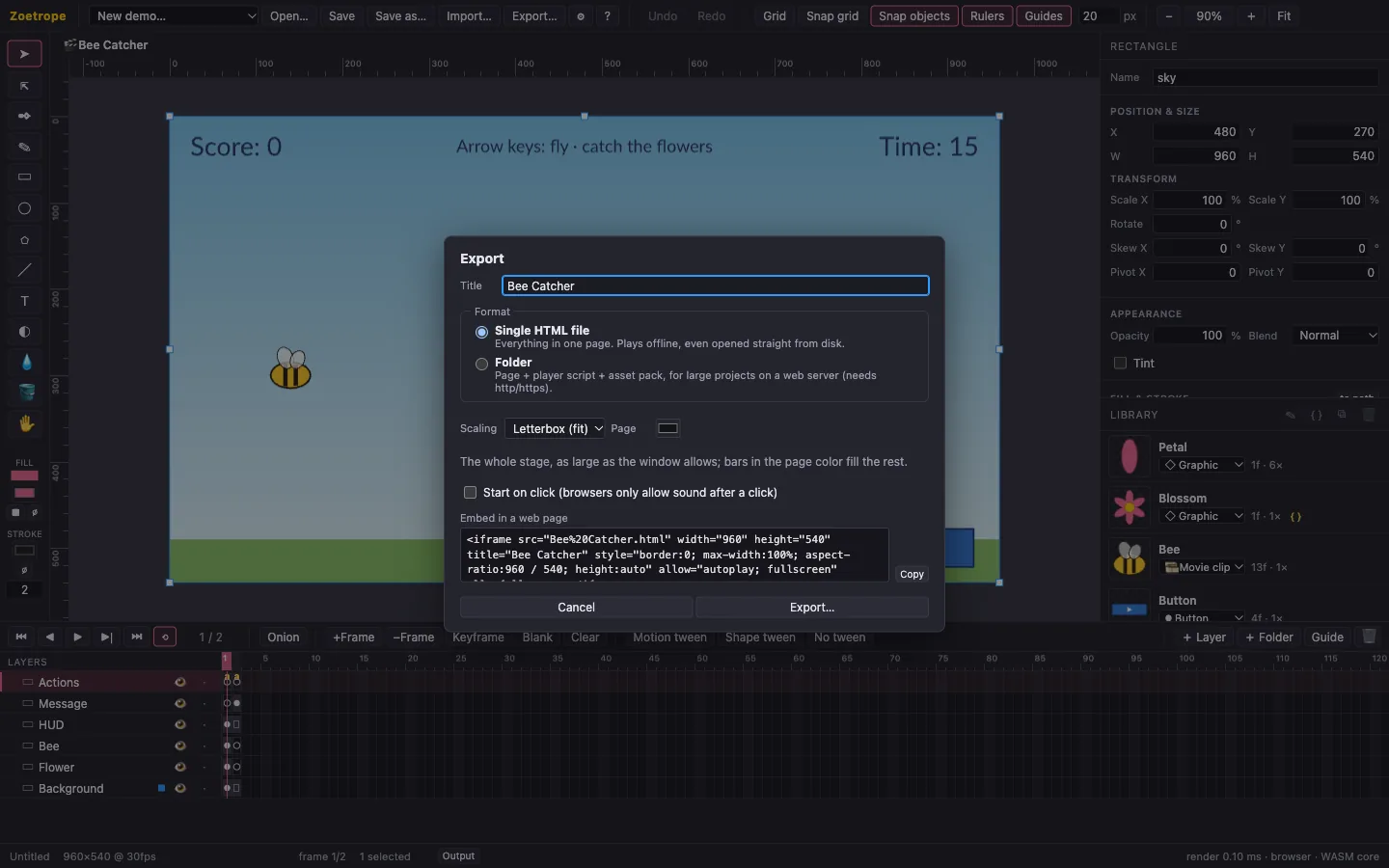
Export… turns your project into a web page that plays in any modern browser, on desktop and mobile, with no plugin and no install. It plays exactly like the preview, frame for frame.
Formats
| Format | You get | Best for |
|---|---|---|
| Single HTML file | Title.html: the player, your project and every asset in one file. It works offline, even opened straight from disk. | Sharing by email or chat, offline kiosks, most projects. |
| Folder | Title.html, zoetrope-player.js (the same file for every export, so browsers cache it) and Title.zoepack (your project and assets, compressed). | Large projects and sites with several movies. Must be served over http(s); browsers block it from file://. |
A typical single-file export is about 1.5 MB, most of which is the player (the animation engine and the script engine). Your assets add their own size.
Options
- Title: the page title and file name.
- Scaling:
- Letterbox shows the whole stage as large as the window allows, with bars around it.
- Fill covers the window and crops what sticks out.
- Fixed size shows stage pixels 1:1, centered; it's best inside an iframe of the stage's size.
- Page color: the color of the bars and margins.
- Start on click: shows the first frame with a ▶ button. Use it when the movie has sound, because browsers only allow audio after a click.
These settings are saved with the project, so the next export uses them again.
Embedding in a website
The dialog shows an embed snippet, an <iframe> sized to your stage that shrinks on narrow screens and keeps its proportions:
<iframe src="Bee%20Catcher.html" width="960" height="540" title="Bee Catcher"
  style="border:0; max-width:100%; aspect-ratio:960 / 540; height:auto"
  allow="autoplay; fullscreen" allowfullscreen></iframe>
Upload the exported file(s) next to your page, paste the snippet, and you're done. The live demos on this site's home page are embedded exactly this way.
Hosting
Exports are static files: any web host works, including GitHub Pages, Netlify, an S3 bucket or your own server. No server-side code is needed. Keyboard input reaches the movie after the viewer clicks it.
What's inside
The page runs the same WebAssembly core and the same runtime as the editor's preview, so tweens, nested movie clips, text, sound and scripts behave identically. Zoetrope verifies this on every release by comparing frame-by-frame fingerprints of the preview and the exported page. The details are in docs/EXPORT.md.